New leads wait too long for a response.
The problem
Lead flow breaks when the next step is invisible.
When capture, follow-up, booking, and pipeline status live in separate places, the business loses visibility. Good opportunities quietly fall through the cracks.
Follow-ups depend on memory, spreadsheets, or manual reminders.
Appointments get booked, but no-shows and missed handoffs are not tracked.
The CRM exists, but pipeline stages, data quality, and status tracking are unclear.
CRM automation flow
One connected journey keeps the next action visible.
Follow one lead from first touch through booking, follow-up, pipeline visibility, and the relationship that comes after.
01 / 06Active system stage
Lead captured
A new form, call, or booking request enters the system.
System stateNew lead · first touch visible
Capture recordThe first-touch context travels with the lead.
- Entry
- Form, call, or booking request
- Source
- Visible in the CRM record
- Status
- New lead
- 01
Connected stage
Lead captured
A new form, call, or booking request enters the system.
New lead · first touch visibleCapture recordThe first-touch context travels with the lead.- Entry
- Form, call, or booking request
- Source
- Visible in the CRM record
- Status
- New lead
- 02
Connected stage
Record organized
Source, tags, fields, and status are cleaned up so the lead is easy to track.
Structured record · next action readyCRM structureThe record answers what happened and what comes next.- Source
- Captured
- Tags + fields
- Organized
- Pipeline state
- Readable
- 03
Connected stage
Booking path triggered
The right calendar, reminders, or intake step starts based on the lead's context.
Booking route · context matchedRouting logicContext determines the next practical path.- 01
Read the lead context
- 02
Present the relevant calendar or intake step
- 03
Keep booking or recovery status visible
- 01
- 04
Connected stage
Follow-up queued
Email/SMS follow-up keeps the conversation moving without manual chasing.
Follow-up active · judgment stays humanFollow-up sequenceSystem events trigger the next communication.- 01
Send the appropriate email or SMS
- 02
Wait for the relevant timing or response
- 03
Flag manual follow-up when judgment is needed
- 01
- 05
Connected stage
Pipeline updated
The lead moves into the right stage so the team knows what needs attention.
Pipeline current · staff handoff visibleVisible CRM stateThe pipeline reflects the latest system event.Current lead state→Next visible stageOwnership and the next action remain readable for staff.
- 06
Complete journey
Retention loop active
Past clients and inactive leads can be reactivated with clear, timed campaigns.
Lifecycle connected · relationship continuesComplete system stateOne visible journey, connected from entry to return.- Six connected lifecycle stages
- Clear ownership and status
- Manual intervention where judgment is needed
Forms, calendars, follow-up, tags, and pipeline state work as one traceable operating path.
Systems I build
The CRM control layer most service businesses are missing.
I focus on practical GoHighLevel systems that make lead status, follow-up, booking, onboarding, nurture, reactivation, and pipeline movement easier to see and manage.
Organize
GoHighLevel CRM Setup
CRM pipeline designCustom fields & tagsTask / status tracking
Capture
Lead Capture & Follow-Up
Lead capture formsSMS / email follow-upSpeed-to-lead
Convert
Appointment Booking Workflows
Calendar setupBooking workflowsTask / status tracking
Retain
Onboarding, Nurture & Reactivation
Client onboardingNurture sequencesLead reactivation
Selected websites
Websites you can actually explore.
Open each project here and explore it as a real, responsive website without leaving the portfolio.
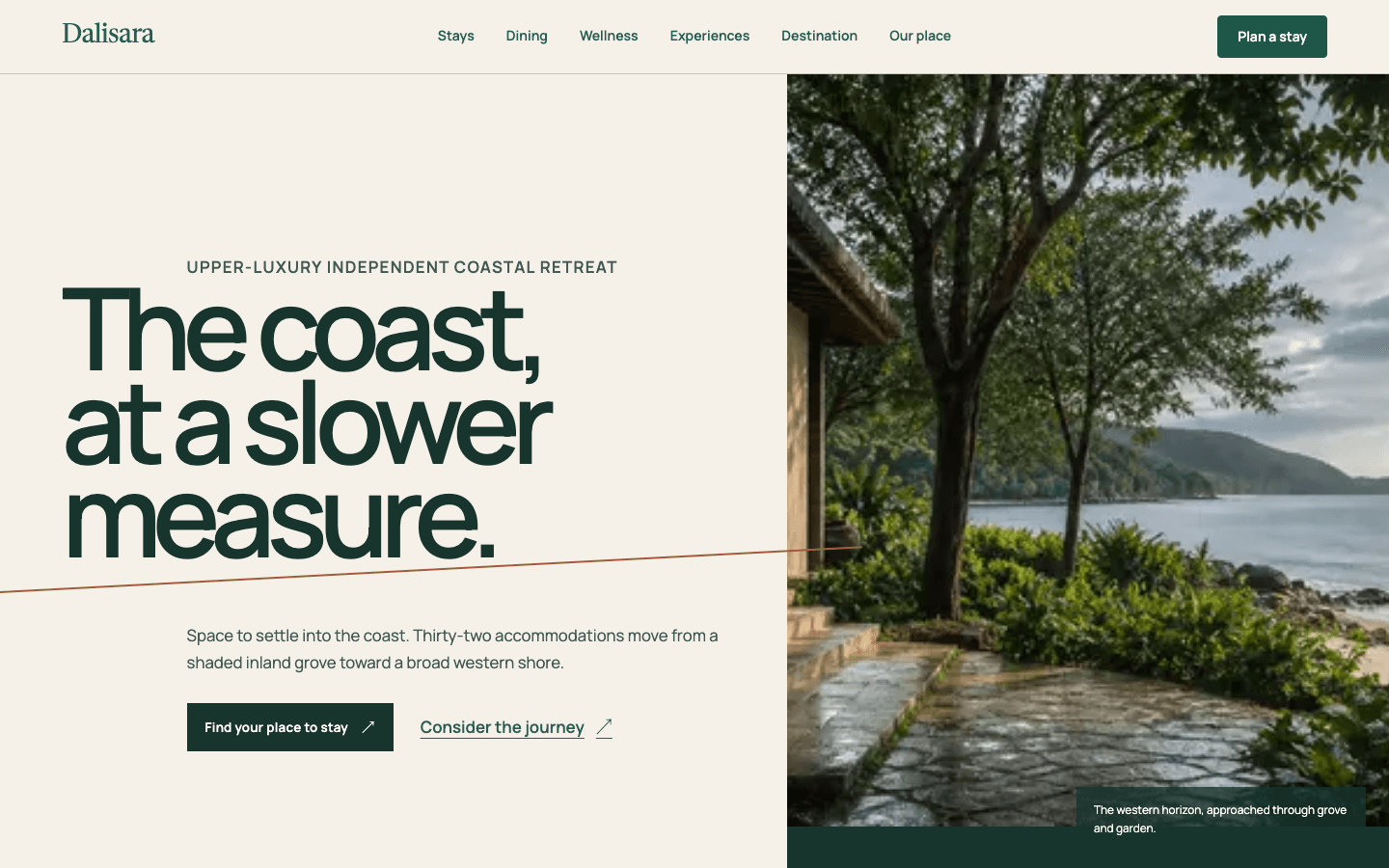 Fictional concept
Hospitality website
Dalisara
A fictional hospitality product with route-specific art direction and a complete simulated booking journey.
- Product design
- UI/UX
- Front-end engineering
Systems & Automation
Operational work with evidence you can inspect.
CRM implementations show how leads, bookings, onboarding, and follow-up move through tested system states.
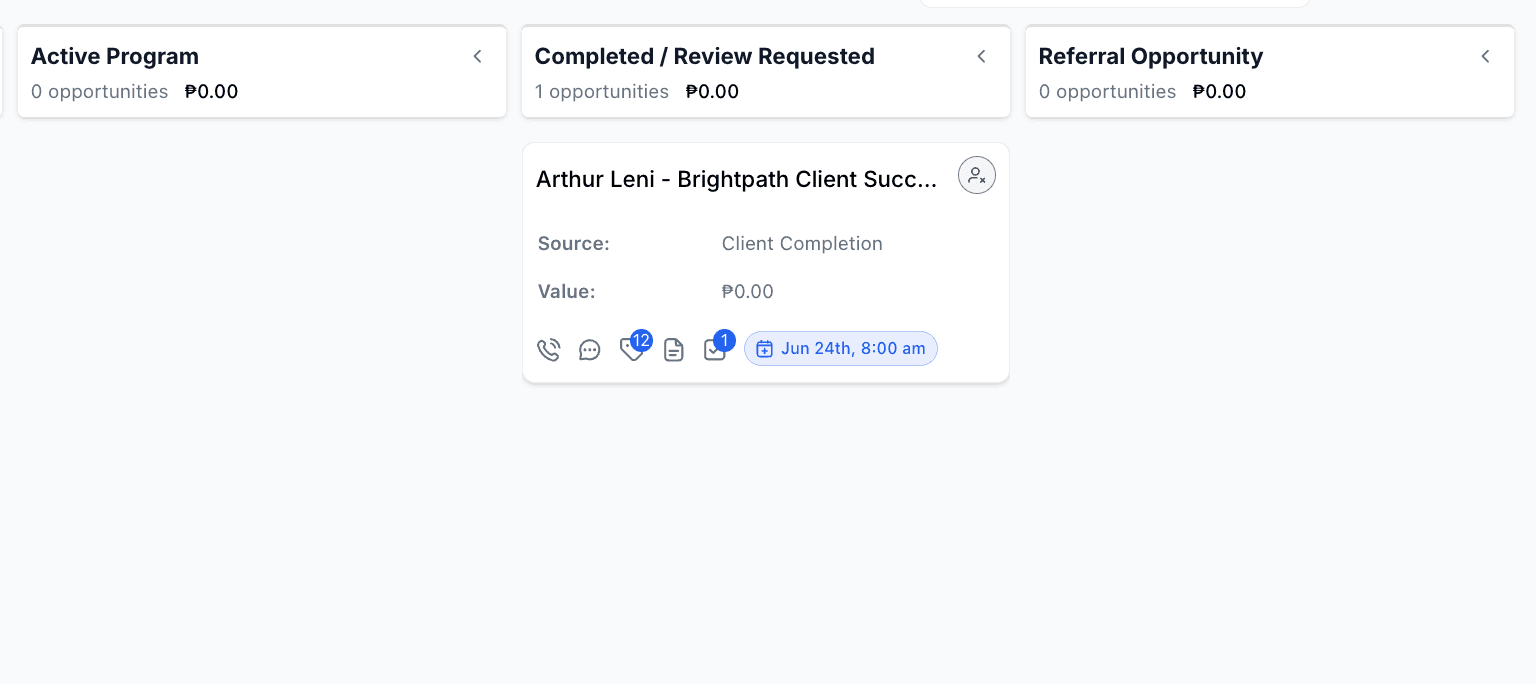
Pipeline proof
Featured portfolio build
Client Onboarding & Retention Automation
A flagship portfolio automation build for a financial coaching business. The system guides new clients through onboarding, kickoff booking, active-client check-ins, manual follow-up, and review/referral follow-up.
GoHighLevelClient OnboardingRetention
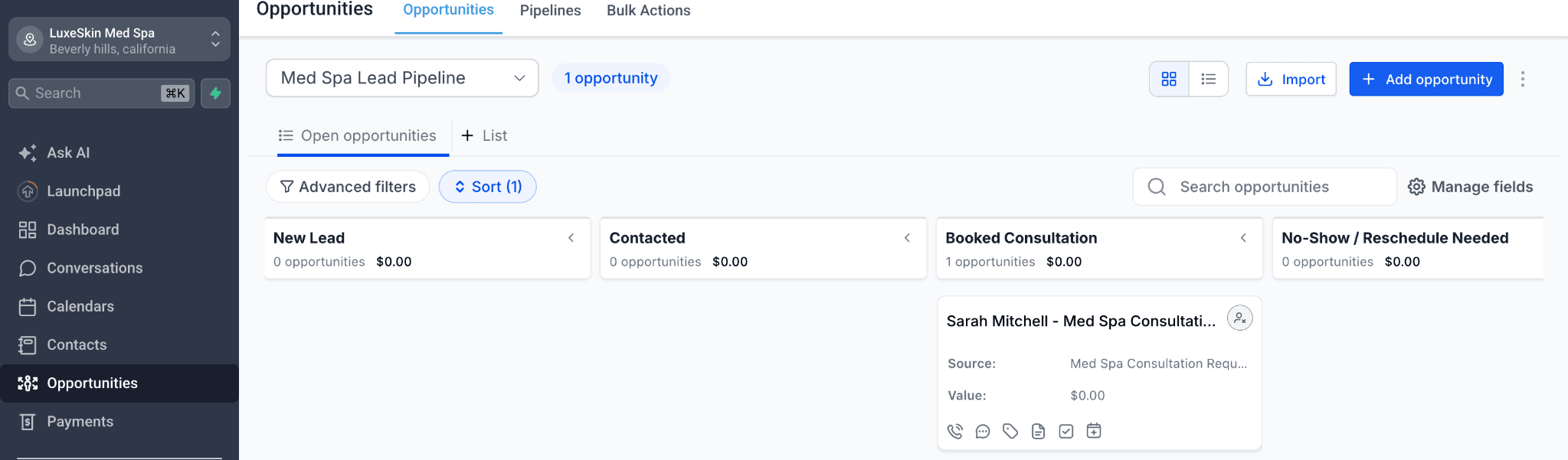
Booking proof
Portfolio case study
Med Spa Consultation Booking & Follow-Up Automation
A portfolio automation build for a med spa consultation funnel. The system captures new leads, routes them to a booking calendar, updates CRM status, sends speed-to-lead follow-up, and triggers no-booking recovery.
GoHighLevelLead CaptureBooking Automation
Credentials
Training that supports CRM systems, delivery, and visibility.
Google Project Management Professional Certificate
Salesforce Sales Operations Professional Certificate
Google Business Intelligence Professional Certificate
Process
Map first. Build second. Keep every next step visible.
01
Audit the current funnel
02
Map the system before building
03
Build and connect the workflow
04